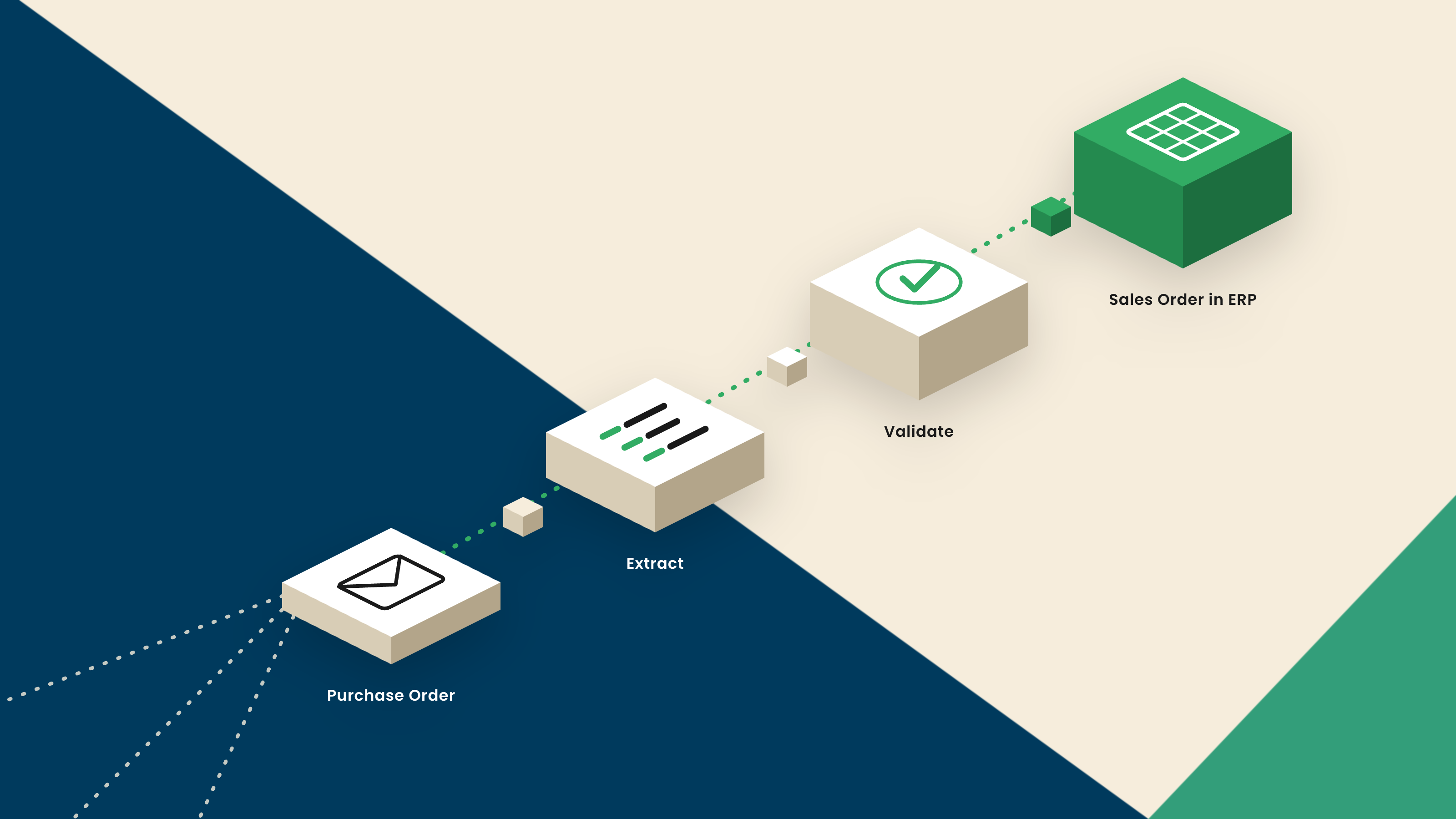
Sales order processing automation uses intelligent document processing (IDP) to handle incoming customer orders. Orders arrive as emails, PDFs, spreadsheets, or EDI files. IDP turns them into validated, system-ready orders in your ERP, with no manual re-keying. For customer service and order management teams, that means an order confirmed in minutes instead of stuck in a queue.
Order intake is where a customer relationship is quietly won or lost. An order confirmed quickly and correctly barely registers with the customer. One that is slow or wrong becomes a complaint. That is why the messy, manual front end of order processing is often the first thing worth automating.
What Is Sales Order Processing
A sales order is the record your business creates when a customer wants to buy from you. The journey looks simple on paper. An order comes in, someone enters it into the order system, it is confirmed, and it moves on. The trouble sits in the first two steps.
Orders rarely arrive in a tidy, structured form. They come as email attachments, PDFs, scanned documents, and spreadsheets, and every customer formats theirs differently. Someone has to read each one and type it into the system. That manual step is where time and accuracy leak away, and it is the step automation is built to remove.
The pain scales with the business. High-order volumes, complex or multi-line orders, and customers in different countries all make manual intake slower and more error-prone. The busier and more international the team, the more that manual front end holds everything up.
Sales Orders vs Purchase Orders
The two documents cause endless confusion, because they are often the same document seen from opposite sides of a transaction. When a customer's buying team issues a purchase order, that document arrives with your sales team as the basis for a sales order. One party's purchase order is the other party's sales order.
The distinction matters for automation because the receiving side does the re-keying. Your customer's purchase order is your inbound document to process into an order. If your business also handles supplier invoices on the buying side, the same document intelligence applies there, which we cover in IDP for accounts payable.
Why Manual Sales Order Entry Slows Everything Down
Manual order entry carries three costs, and your customers feel all of them.
The first is speed. Because every order format is different, a person has to interpret each one before typing it in. That delay pushes back order confirmation, and a customer waiting on confirmation is a customer wondering whether the order was even received.
The second is accuracy. Re-keying introduces mistakes: a wrong quantity, a transposed product code, a line missed entirely. Those errors are not only admin overhead. They can ship the wrong goods to the customer, which is far more expensive to fix than to prevent.
The third is capacity. When order volume spikes, the only manual lever is more hours or more people. The queue grows, service levels slip, and escalations climb. None of that is where a customer service team wants to spend its energy.
How AI Automates Sales Order Processing
The automated version replaces the typing, not the judgment. Here is what happens to an order once IDP handles the intake.
Intake. Orders arrive however customers choose to send them: email, PDF, EDI, a portal upload, or a spreadsheet. They land in one place instead of scattered across inboxes.
Reading and understanding. The platform reads the order and interprets it, identifying the customer, the products, the quantities, and the terms, whatever the layout. This is the same document intelligence behind invoice data extraction using AI . For how the AI does the reading, see how to use AI in intelligent document processing.
Validation. The order is checked against your business rules: pricing, customer details, and the information a clean order needs. Gaps and inconsistencies are flagged rather than passed downstream.
Exception review. Anything uncertain goes to a person. Clean, high-confidence orders flow through, so the team spends its time on the orders that genuinely need a human eye.
Structured order into the system. The finished order lands in your ERP or order management system as structured, system-ready data, ready to confirm.
The result is an order intake process that keeps pace with the customer, rather than one the customer waits on.
Common Sales Order Errors AI Prevents
Automation removes the errors that manual entry quietly creates.
Duplicate orders, where the same order is entered twice, get caught at intake before they turn into a double shipment. Incorrect pricing is checked against the rules you set, so a mismatch is flagged instead of confirmed. Missing information, a blank field or an unclear quantity, is surfaced for a quick fix rather than discovered after the goods have shipped. And slow approvals ease, because clean orders no longer wait behind a manual queue.
The same discipline that helps finance teams reduce invoice processing errors applies to orders. Validate as the document arrives, not after the mistake has already moved downstream.
What to Look for in Sales Order Automation
Order automation tools are not all the same, and the differences show up on your messiest orders. A few criteria separate the capable from the basic.
•Any order format without templates. Your customers will not standardize their orders for you. The platform should read an unfamiliar layout on the first try, not need a template built for each customer. This is where AI-native IDP pulls ahead of template-based tools.
•ERP or order-system integration. The structured order has to arrive in the exact shape your system expects, ready to confirm, not as text that someone still has to reformat.
•Validation against business rules. Reading the order is only the start. The tool should check pricing, customer details, and completeness before the order reaches your system.
•Multi-language orders. If you sell across borders, confirm the platform reads orders in multiple languages and regional formats. The same capability matters on the finance side, covered in multi-language invoice processing.
How Docupath Automates Sales Order Processing
Docupath is an AI-native document intelligence platform. For orders, it reads, interprets, verifies, and validates inbound customer orders in any format, then structures the result into system-ready data for your ERP or order management system.
Instead of routing every document through a single model, Docupath uses a multi-model architecture, the AI Model Garden, that adapts to each order's layout and language. It validates order details, prevents duplicate orders, and routes only uncertain cases to a reviewer through confidence scoring, so the team can focus on urgent and high-value work. People stay in control, and the checking happens inside the platform. The output is not extracted text. It is an order your system can act on.
Because the platform adapts to new customers and unfamiliar formats on its own, order volume can rise without the team rising with it. That is what protects service levels through a busy season, when manual intake would otherwise fall behind.
Key Takeaways
- •Sales order processing automation uses intelligent document processing to turn customer orders in any format into validated, structured orders in your ERP, without manual re-keying.
- •A sales order and a purchase order are often the same document from opposite sides. The receiving side does the re-keying, which is what automation removes.
- •Manual entry costs speed, accuracy, and capacity, and the customer feels all three through slower confirmation and the risk of wrong goods shipped.
- •The workflow is intake, reading and understanding, validation, exception review, and a structured order into the system, with people handling only the exceptions.
- •When evaluating tools, the deciding factor is handling any order format without templates, which is where AI-native IDP separates from template-based automation.