Docupath's AI-powered instructions and transformation rules help teams validate, correct and structure document data before it reaches downstream systems. With this release, you can now connect Docupath directly to your third-party systems, such as your ERP, giving every rule the full context of your business data.
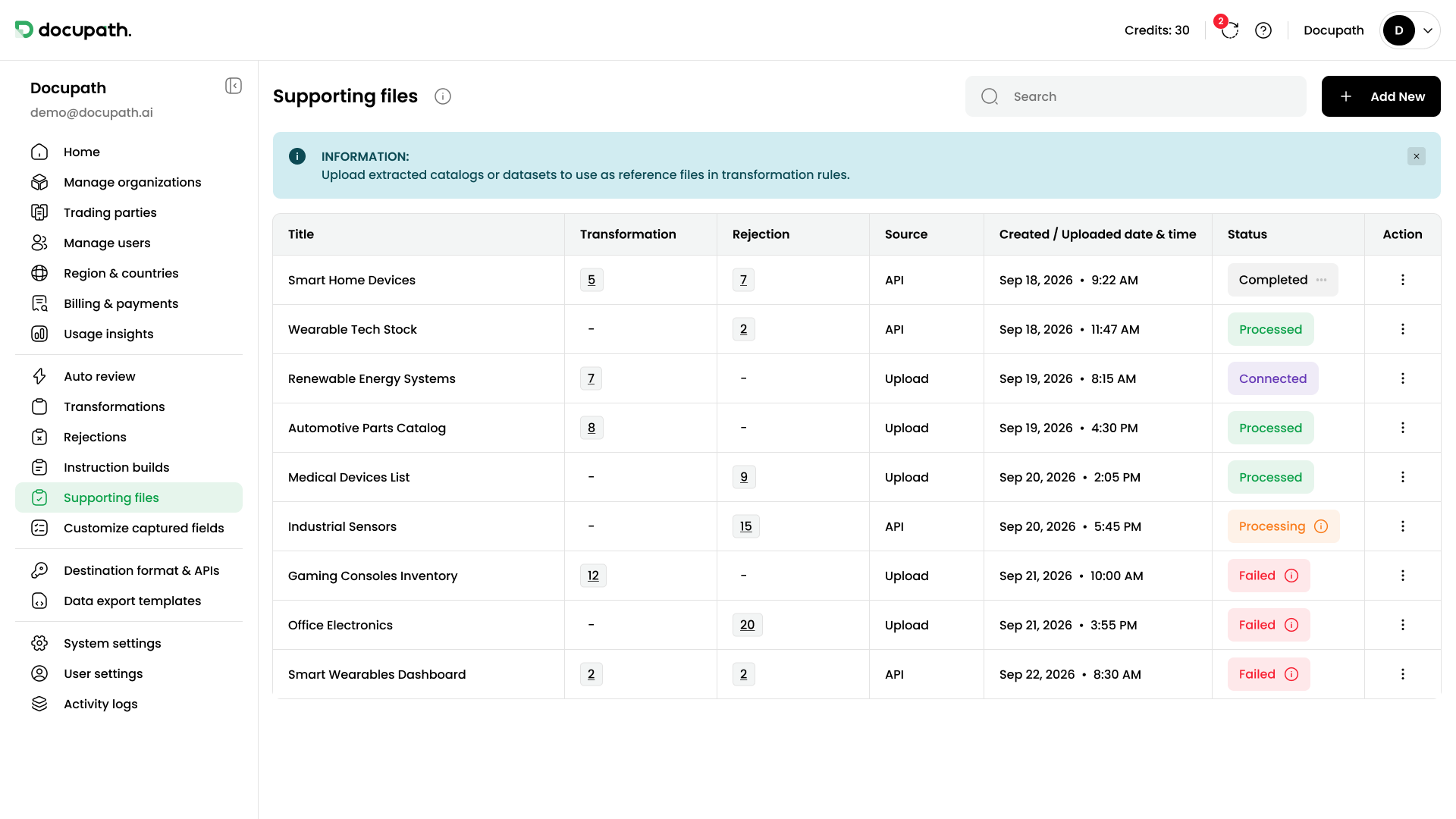
More context, more capability
Supporting files are the reference data your transformation and rejection rules work with: vendor master data, product catalogs, price lists. Until now, that data came from uploaded spreadsheets. Now it can be fetched straight from the source.
With your own systems connected, Docupath can:
● Validate against your master data, not a copy of it. Check customers, suppliers and products against the records your teams maintain.
● Catch mismatches earlier. Flag prices, codes and terms that don't match your systems before they reach your downstream systems.
● Enrich documents with details your systems already hold, so data arrives complete and system-ready.
Always current, by design
Docupath does not keep a separate copy of your data. It reads from the connected system at the moment it handles each document. When a customer is added or a price changes, the next document is checked against it. No exports, no re-uploads, no outdated lists.
Set up in plain English
You describe the data you need and where it lives. Docupath builds the connection and shows you the results to review before anything goes live. There is no code to write and no integration project to plan.
Secure and in your control
● Protected credentials. API keys and passwords are stored encrypted and masked after saving.
● Full visibility. Every connection shows its status at a glance, side by side with your uploaded files.
● Safe by default. If a connected system stops responding, Docupath does not auto-approve documents based on the instructions and rules that depend on it. Those documents stay with your team until the connection is restored.
Available now
Connected supporting files are available to anyone with permission to manage supporting files. Connect your first system and give your instruction builds the full context of your business.