"As AI becomes critical infrastructure for enterprise, trust will become as important as intelligence. The next generation of AI systems can’t just produce answers. They need to expose their work, make their decisions understandable, and give people confidence in what happened and why.’ says Sheran Corera, CTO of Docupath. "That’s the future we’re building toward with Docupath. AI shouldn’t just do the work. It should make its work visible."
The new review screen
Confidence marks : Every captured value now carries a confidence mark: a colored stripe on a field card, a colored dot in a line-item cell. The key reads "High confidence" where the value was read cleanly and every check passed, "Double-check" where one condition is unsettled, and "Needs review" where the value should be read against the document. A reviewer sees which of eighty fields needs attention rather than reading all eighty.
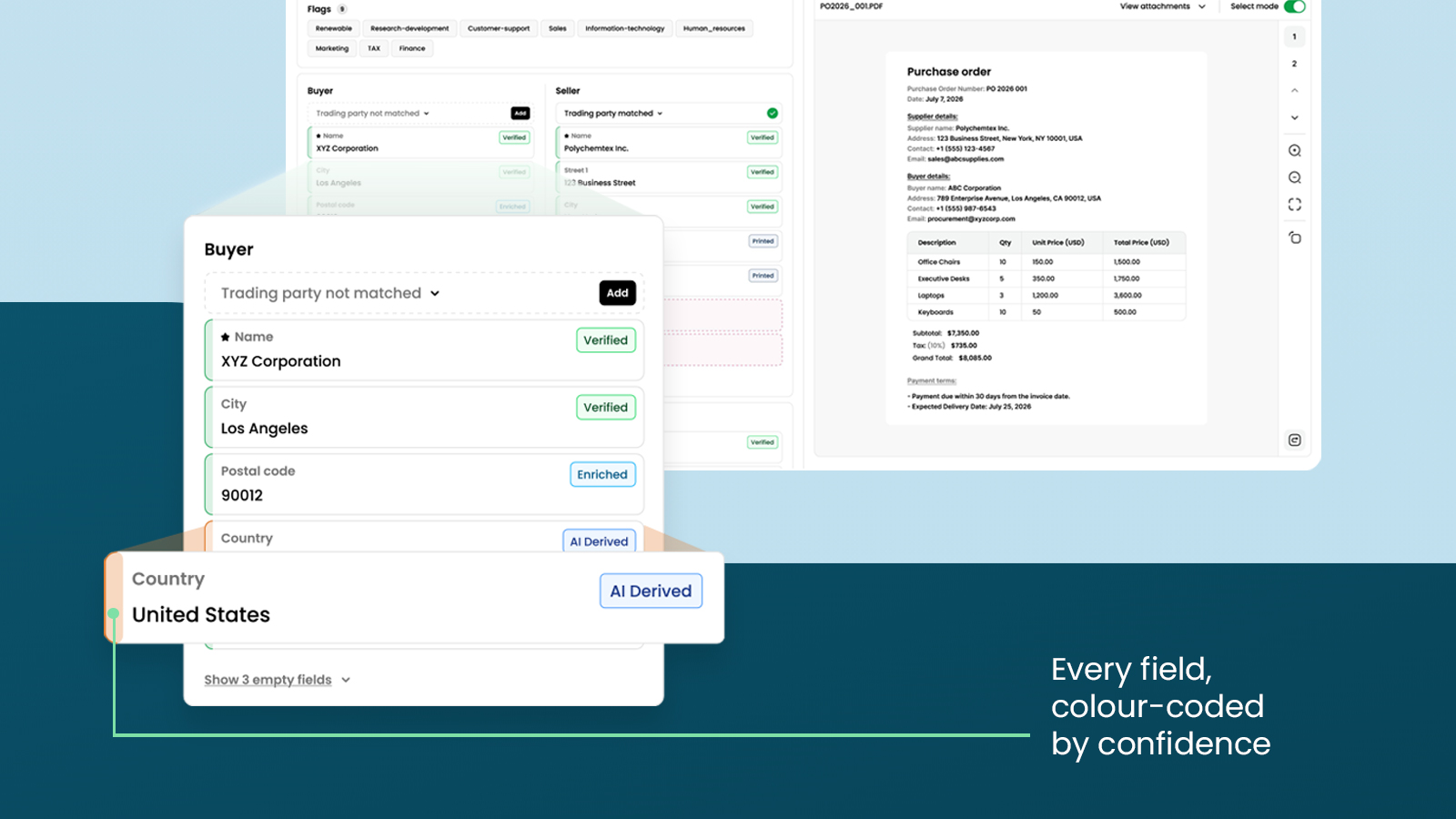
Source badges : Each field with a value carries a badge naming its origin. Ten badges cover three cases: read directly from the document, derived by the AI or supplied from the customer's own records, lists or rules, or typed by a person. Fields with no captured value carry no marks at all.
Page highlighting : Pointing at a field highlights the words on the document that produced the value. Where a value is not printed, Docupath highlights where it came from: a calculated total on the column it was summed from, a standardised country code on the printed country name.
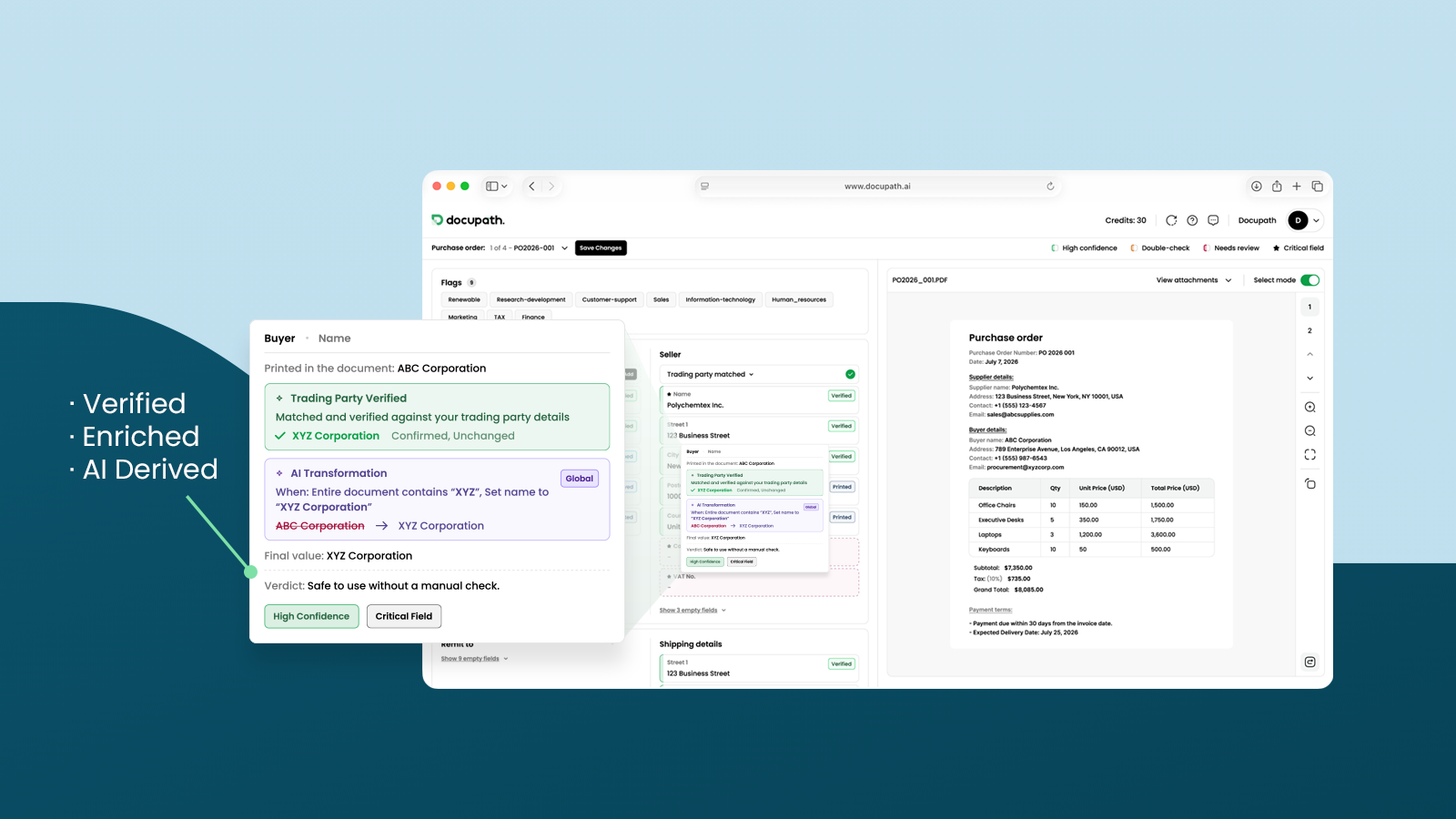
Value history : Pointing at a field's source badge opens the full history of that value: what the document printed, each rule, record or edit that changed it in order, the final value, and a plain-language verdict. The question of why a field says what it says is now answered on the screen rather than by a colleague.
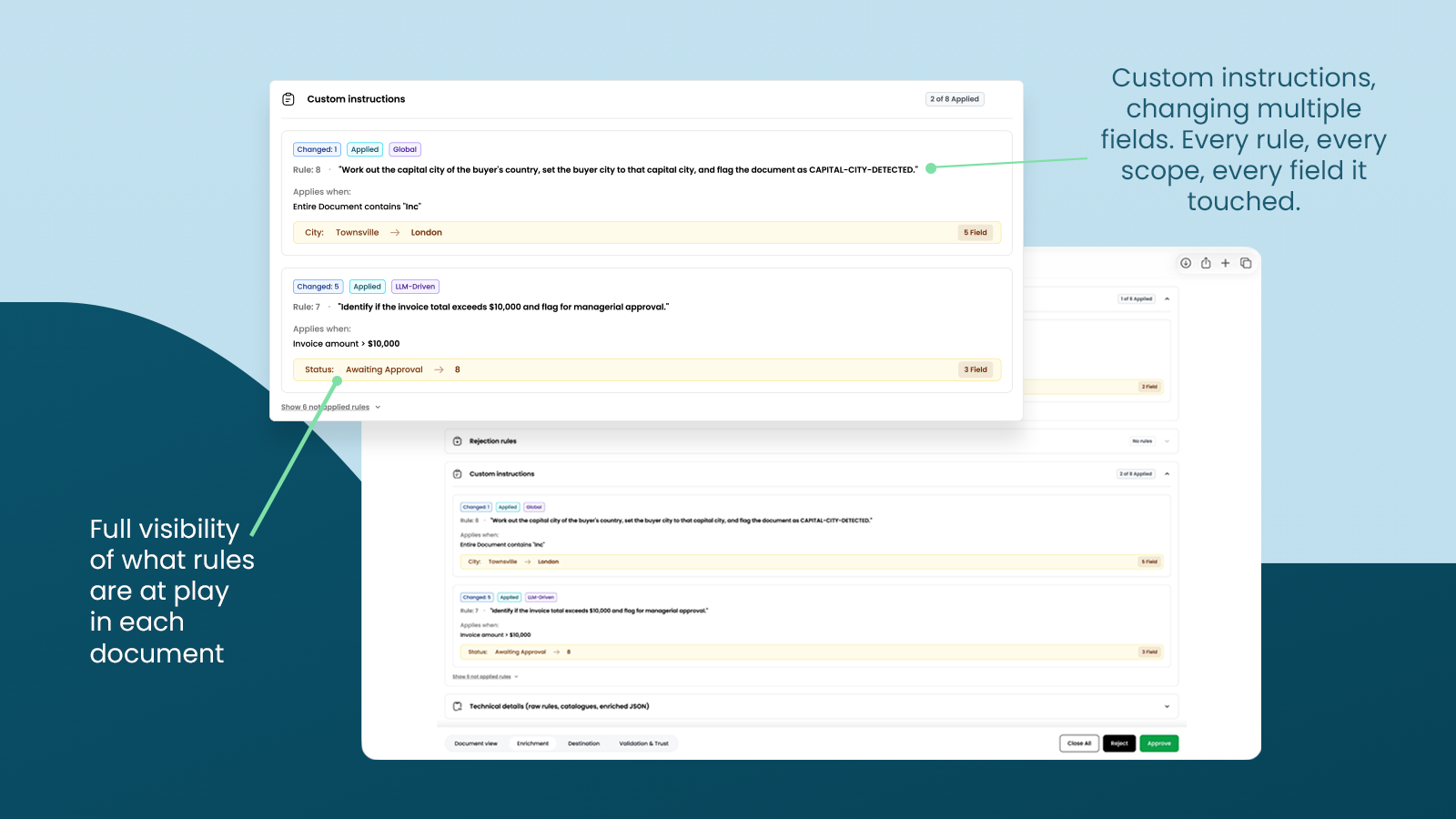
Rule reporting : A new "Enrichment" tab reports every rule and record applied across the document, each showing whether it applied and changed a value, did not apply, or applied without changing anything.
Critical fields and approval validations
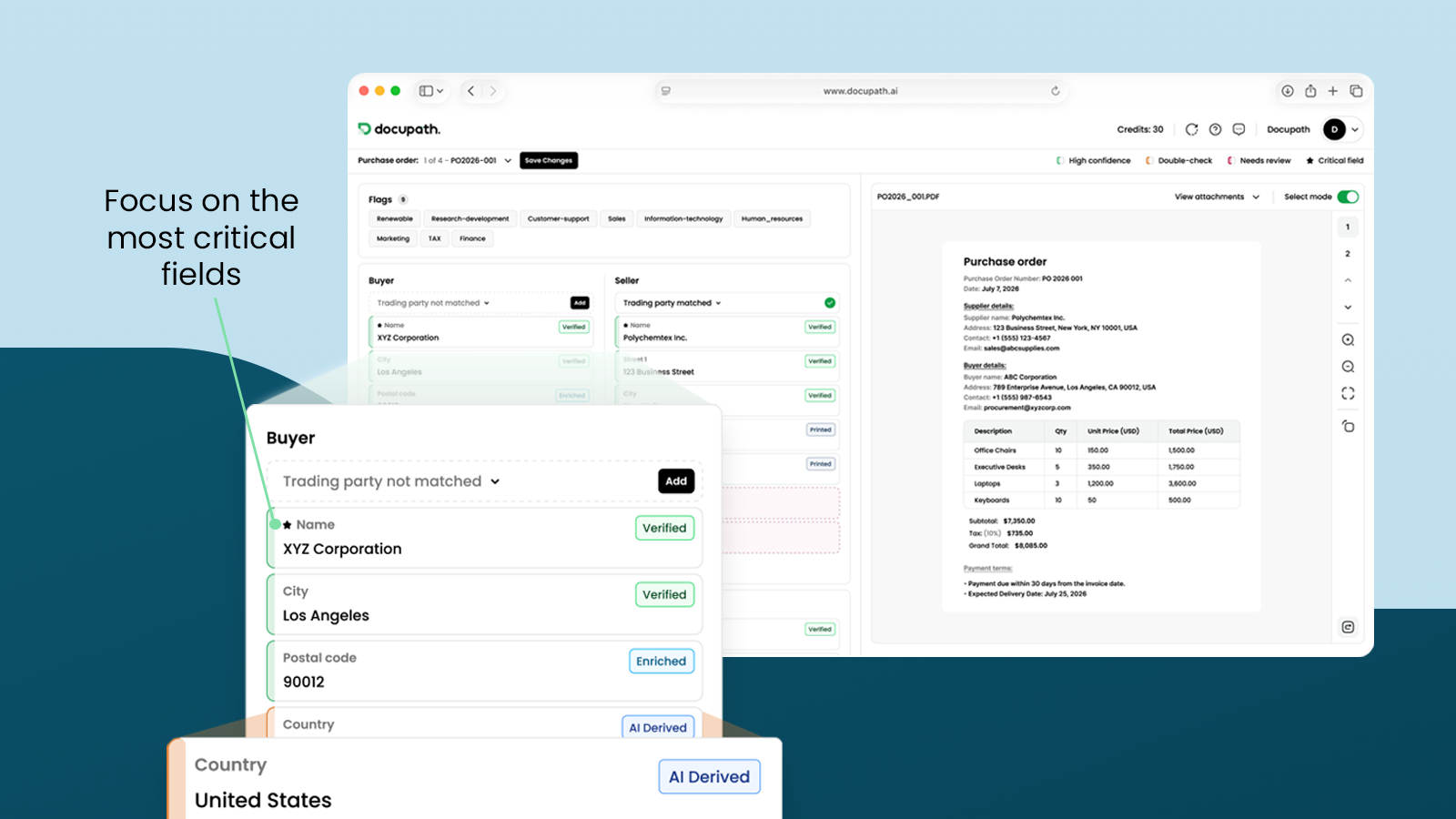
Critical fields : An administrator can mark any captured field as critical, meaning the customer's business requires it on every document. An approval fails where a critical field is empty, and Docupath names each incomplete field in a panel headed "Validations failed". The AI does not choose these fields and Docupath supplies no standard list.
Custom validation rules : Customers can write their own validation rules that run at the approval stage, checking field values, references, supporting files and other conditions before a document is allowed through.
One gate for both paths : The same checks apply to automatic review, so a document failing either is sent to a reviewer rather than approved automatically. One set of rules governs both routes instead of two that can diverge. Rejection is never blocked.