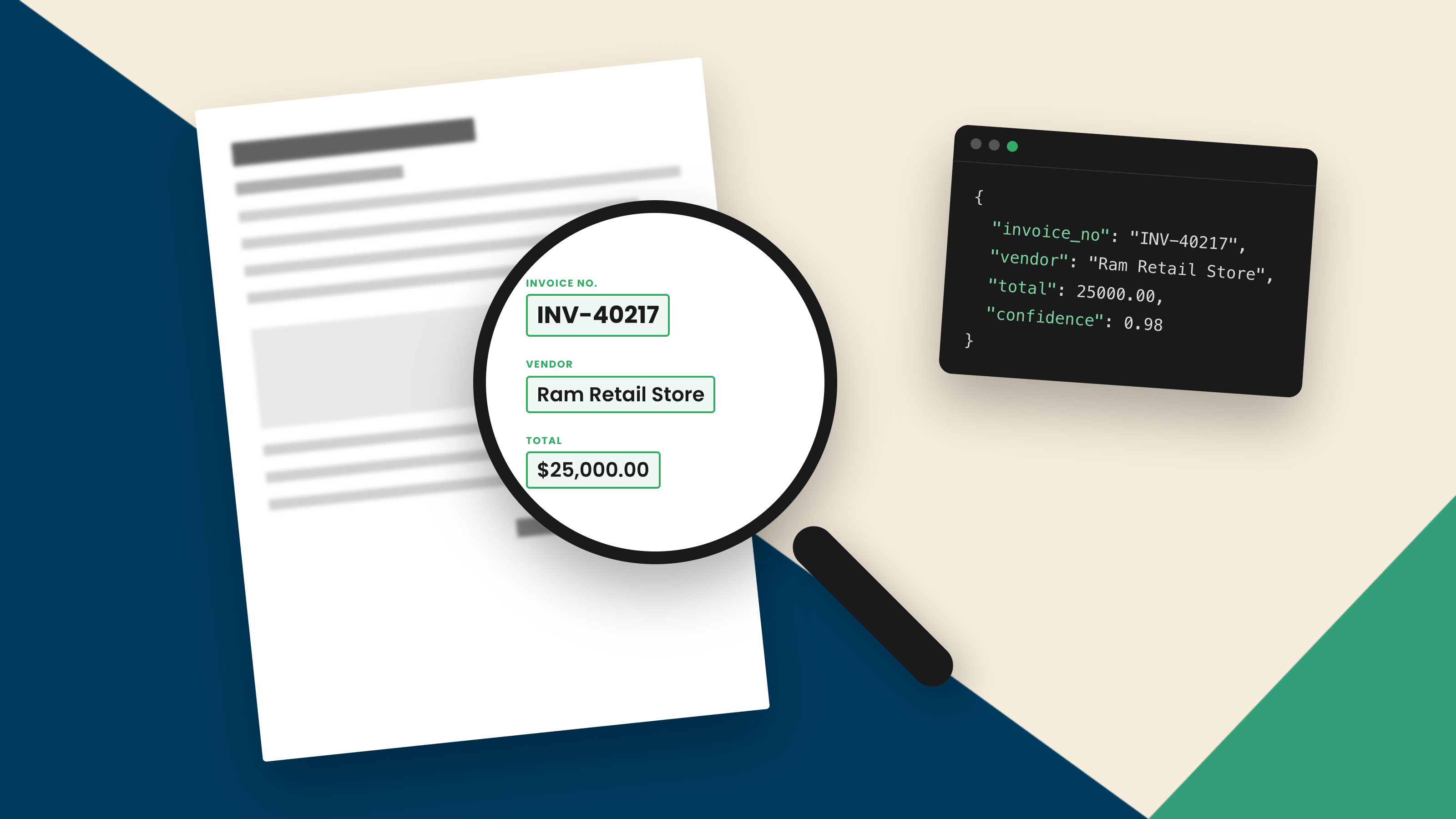
AI OCR is optical character recognition powered by artificial intelligence. Instead of matching characters against fixed patterns, it uses machine learning and computer vision to read text from images, including messy, handwritten, or unusually laid-out documents. In plain terms, AI OCR reads text the way a person would, even when the source is far from clean.
What Is AI OCR
Traditional optical character recognition (OCR) turned images of text into machine-readable characters by recognizing shapes it had been programmed to expect. It worked well on clean, predictable documents and struggled with everything else.
AI OCR adds a layer of intelligence to that reading. Vision models trained on a huge range of real-world text let it handle variation: different fonts, poor scans, photographs, handwriting, and layouts it has never seen before. Where older OCR needed the input to fit its expectations, AI OCR adapts to the input in front of it.
The difference comes from how it learns. Rather than being told the exact shape of every character, AI OCR is trained on vast amounts of real text and learns to recognize letters and words by pattern and context. That is why it generalizes to fonts, handwriting, and layouts it was never explicitly shown.
How Does AI OCR Work
The process runs as a sequence, though it happens in moments.
•Image capture and preparation. The document arrives as a scan, photo, or file, and the system cleans it up, straightening, sharpening, and adjusting it so the text is legible.
•Text detection. Vision models locate where text sits on the page, separating it from images, lines, and background, whatever the layout.
•Character and layout recognition. The system reads the characters and, at the same time, maps the structure: columns, tables, headings, and fields.
•Context and language understanding. Language models use the surrounding words to resolve ambiguity, so a smudged or unusual character is read correctly from context rather than guessed in isolation.
•Structured output. The recognized text comes out organized by its place on the page, rather than as one undifferentiated block.
•The last two stages are where the intelligence shows. A vision model might see a mark that could be a 1 or a 7. A language model, reading the words around it, settles which one fits. Older OCR had no such second opinion, so an ambiguous character was often a wrong one. That combination of seeing and reading in context is what separates AI OCR from the rule-based reading that came before.
What AI OCR Can Read
Range is what sets AI OCR apart.
It reads printed text and screenshots reliably, including low-quality scans and phone photos. It handles handwriting, which defeats most traditional OCR. There is a closer look at that in AI OCR for handwriting. It makes sense of tables and complex layouts, keeping rows and columns intact rather than flattening them into a jumble. And it reads across many languages and scripts, including documents that mix more than one.
Layout is part of the reading, not an afterthought. Pulling a figure out of a table is only useful if you also know which row and column it came from, and AI OCR preserves that structure rather than losing it in a flat stream of text.
Quality still depends on the source. A crisp document reads almost perfectly, while a faint or crumpled one is harder to read. The difference is that AI OCR still makes a reasonable attempt on a poor-quality document, where a rule-based system would fail outright.
AI OCR vs Traditional OCR
The short version is a difference in approach. Traditional OCR follows rules and templates, so it is quick and accurate on clean, uniform documents and brittle on anything else. AI OCR learns from examples, so it copes with the variation, context, and messy inputs that would break a template.
Traditional OCR is not obsolete. For high volumes of clean, identical documents, its speed and predictability are still a good fit. AI OCR earns its keep when the inputs vary, which in most businesses they do. For the full comparison, see AI OCR vs traditional OCR.
What AI OCR Is Used For
AI OCR earns its place wherever reading text is the first step in a business process, and that covers a lot of ground across a business.
In finance, it reads invoices, receipts, and bank statements. Invoices are a common example, covered in AI OCR for invoices. In customer service and operations, it reads purchase orders, sales orders, and inbound forms. In legal, it reads contracts, NDAs, and agreements to pull out the terms that matter.
These documents share a trait that suits AI OCR: every sender formats them differently. A supplier's invoice, a customer's order, and a partner's contract rarely look alike, and AI OCR reads them without a separate setup for each source.
In each case the job is the same: get the text off the page accurately, so something useful can be done with it next. That last phrase matters more than it looks, and it is where the honest limits of AI OCR come in.
Where AI OCR Stops: Reading vs Understanding
AI OCR reads text extremely well.
Reading, though, is not the same as understanding.
An invoice makes the gap concrete. AI OCR can lift every number on the page cleanly. It still will not know which figure is the total, which is the tax, or whether the total should match a purchase order. That meaning has to come from somewhere.
Knowing that a string of digits is a total rather than a reference number, that a date is a due date rather than an issue date, or that a figure breaks a business rule, is a different kind of work. So is checking the data and structuring it for the system that will use it.
That work is document intelligence, not OCR. Reading the characters is one early step inside a larger process, which is exactly the distinction drawn in IDP vs OCR . It is worth being clear about, because a lot of tools stop at reading and leave the rest to you.
How Docupath Goes Beyond OCR
Docupath sits on the far side of that line. It is not an OCR tool. It is an AI-native document intelligence platform that reads, interprets, verifies, and validates business documents, then structures the result into system-ready data.
Reading the text, the part AI OCR does, is one early step in that process. What follows is the part that makes the data usable: understanding what each value means, validating it against your rules, and delivering it in the shape your systems expect. For how that fuller process works, see how to use AI in intelligent document processing.
Key Takeaways
•AI OCR is optical character recognition enhanced with machine learning and computer vision, so it reads text from messy, varied, and handwritten documents that traditional OCR cannot.
•It works in a sequence: prepare the image, detect the text, recognize characters and layout, use context to resolve ambiguity, and output organized text.
•It reads printed text, handwriting, tables, complex layouts, and multiple languages, which is the main advance over rule-based OCR.
•AI OCR reads text. It does not, on its own, understand what the values mean, validate them, or structure them for another system.
•That understanding, validation, and structuring is document intelligence. Reading is one early step inside it, and it is where Docupath goes beyond OCR.